10.29.2013

How I leverage Prezi in the classroom

A lot of teachers have hailed Prezi as a revolutionary presentation tool, but I’m convinced the vast majority of them aren’t using it correctly. When amateurs use Prezi, it’s no better than a powerpoint that makes you dizzy. For this reason, I only use (and allow my students to use) Prezi if the presentation benefits from a background image or an organizational tool onto which I build my presentation. There’s no better way to use this than in the history classroom with a map and events placed on top of the map where they occurred. The path provides the information about when and where each event occurred, and the finished product provides the study guide for the next assessment.



This exercise encompasses all three of the major 21st century skills: creativity, collaboration, and innovation. The students have to be creative in how they include and present their information to the class; in this task, they exercise their critical thinking and concision skills. They have to collaborate to produce the best study guide possible (not to mention they have to help each other work through Prezi). And finally, we, as a class, are innovating in how we produce a study guide, use class time differently, and move our study guide to students studying the same topic all over the globe.

Example:
This week, I put a blank map of the 13 colonies down and had students each look up the major Revolutionary War battles. They compiled their information in a google document with all the battles for homework. When they arrived for class, I taught the ins and outs of prezi. I left generic red and blue explosions next to the map for them to place where their battle occurred and to indicate who won. Then I had them zoom in on their explosion and create the equivalent of a slide (or slides) about their battle. They had to portray who won the battle, what tactics were used, and the casualty numbers. When they had included the information, I taught them framing and path. In just thirty minutes, we had a beautiful study guide of all the Revolutionary War battles.


For visual learners, I can’t imagine a better study guide. For back to school night, I can’t think of a better way to dazzle their parents, And, most importantly, they then taught each other the battles of the Revolutionary War one by one so all I had to do was fill in the gaps and ask a few pointed discussion questions. I did not lecture; students presented and taught each other the Revolutionary War. More importantly, they learned a new skill they will use again in their academic and professional careers--Prezi. Finally, since we are doing it in class, if they get stuck or frustrated, I’m right there to help.

I’ve done the same thing in the past with the Civil War, Westward Expansion and WWI. If you have any questions about this lesson, leave me a comment.

10.24.2013

Government Shutdown, Classroom Shutdown

The shutdown is disrupting my American History classrooms. Oh, the horror...

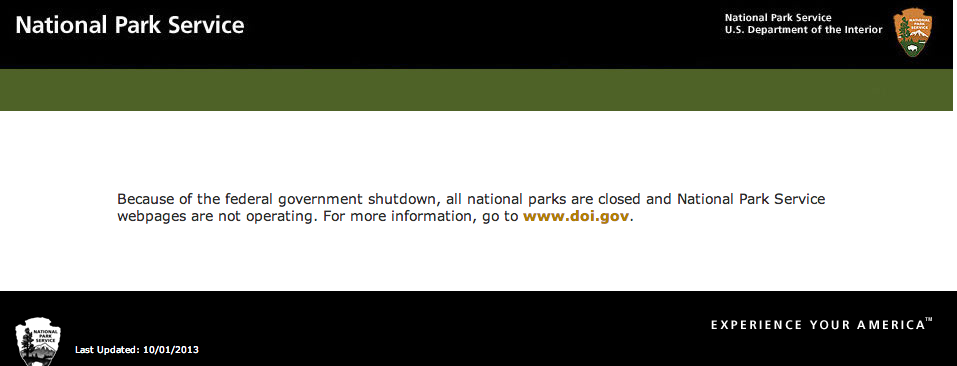
Until the government shut down, I was not aware how frequently I rely on government websites to teach American History. It just so happens that I’m teaching the Revolutionary War to my 10th graders, and the Civil War to my 11th graders (I love teaching history). There have been three occasions where I opened up a map online to show my students about a battle or campaign, and the map doesn't open. Twice, students have come up to me at the beginning of class to tell me they had a similar experience. I’m tired of running into this, when I’m trying to educate:

Come on, Congress! Reopen the government so I can run my classroom with the resources I need to teach students the finer points of American History. If not, when I foray into contemporary politics (which I do frequently), my civics lessons will highlight (and maybe contribute to) your dismal approval rating, which, on October 9th, was polled at 5% according to the AP-GfK.

10.21.2013

Teaching Beyond the Final Exam

The greatest thing about teaching in the 21st century is a teacher’s ability to teach beyond the allotted class time traditionally given to teachers. Over the past few years, I have extended my teaching platform and not just with things like project based learning and flipped classroom (that are all the rave these days), but with digital exchanges with my students after they’ve moved on from my class. There’s something about social media that just makes it so easy to keep teaching. Student’s have no qualms about scratching a quick Facebook message (mostly because formality doesn’t exist on the “book”). Because of this, my role as a teacher has evolved to more of that of an academic mentor.

I write to encourage teachers to share your passions with your students. By energetically sharing my passions with my students they know exactly when to get back in touch for information that I have.

When the government shutdown last week I received a message that morning via facebook and an email that afternoon, both from previous students. One of whom was only in my class for six months and left the school, the other I had for one year. Neither go to my school or are even in the same state as me anymore. These messages arrived shortly after a separate facebook message exchange I had with a former student after the chemical weapons controversy

They asked for my perspective because they know I’m passionate about politics and will give them a straight answer. It saves them the boredom of reading an article from a website that they don’t fully understand, and it gives them a human interaction with an old teacher. From this interaction, they are ready to engage in an academic conversation about this topic. And, if they’re really interested, they can use this knowledge as a foundation to go looking for more.

I don’t write this post to pat myself on the back about my students contacting me to continue learning, I write it to implore teachers everywhere to convey their passions to their students. And, in doing so, don’t talk down to students, meet them where they are and be objective. This has led me to better, deeper teaching that goes beyond the school year. And, judging from the messages I have received, these students desperately need some guidance on these topics about which they asked... But, alas, that’s a story for another post about civics and informed citizens.

9.16.2013

Professional Development 2.0

This year I arrived at a new school and was inundated with information to help me adapt to the new school culture. Administrators make presentations and bring in consultants to portray the ideal goals of the community. Essentially, this is a period of indoctrination before I find out what the school is all about for myself. A lot of the time, school culture is very different than its portrayal during orientation and opening weeks--alas, that is a topic for another post. What I’d like to address in this post is the ephemeral nature of orientation related professional development.

Though I always groan when I have to spend my time in “professional development,” I will admit that the presenters are usually good. More often than not, they present information that helps me learn something about my craft (after all, the speaker was selected by the administration). Sometimes this has noticeable changes in the classroom in the short term. And even with weaker presenters, the information is enough to force teachers to be self-reflective, which is always a good exercise.


The problem with these workshops, however, is that they only last a day. Even the ones that make me think differently about my classroom come and go in 24 hours. There has to be a more effective way to administer professional development. After all, one of the reasons that I groan in the first place is because I know I get stellar professional development 24/7 on twitter by following educators and edtech blogs.

To remedy this, I’ve seen schools use wikispaces or diigo to move relevant information to their faculty, but they’ll tell you that these are far from perfect. And more likely than not, most administrators who manage the faculty don’t even know what those services are. So they try to relive the summer’s professional development the old fashioned way--with more meetings to talk about how the speakers from August helped teachers do things differently. All of this is fleeting.

In my opinion, the answer lies in Web 2.0. Administrators can use technology to connect with presenters and reach their faculty (or reach through the department chairs). They can remind teachers to adhere to the words of the presenters, whether by using more technology, or addressing diversity effectively. Next, administrators can carve out time for teachers to share how they’ve applied what they’ve learned, providing their colleagues with an example of how to harness information gleaned from professional development. Web 2.0 can also act as a tool to move current information that relates to the professional development from presenter to administrator to teacher. Applying the presenter’s words to practice and continuing the discussion of the educational theory is a powerful combination.

The ultimate goal for an institution is for the administration to be able to see which members of the faculty have developed professionally (their goal in the first place) and are buying into the ideal goals of the community. Ultimately, the students would benefit greatly from more diverse lessons and progressive teachers who are collaborating to create the best lessons and classroom environment.

9.01.2013

My Foray into Passion-Based Learning

This summer I taught a class of 14 middle-schoolers Journalism for five weeks; I decided that what drives the course should not be my syllabus but student interest. It’s important to note that this was at a boarding school and the administration’s motto was all about trying new things. Thanks to this direction, I went full bore into my first jaunt into passion-based learning--and it was awesome!

On day one, I announced the objective of the course: to deliver whatever information the students wanted, in whatever medium they wanted, as long as it enriched the campus community. Then, I gave them a username and password to a campus Tumblr and Twitter (they later created their own Facebook group).

Naturally, middle-schoolers are an inquisitive, creative bunch, but it’s hard to get them to follow up on any of their whimsical interests. Even though we only met for forty minutes a day, this format worked. Students pitched ideas and wrote articles about local restaurants, current events, pop-culture, politics, history, cooking, technology, fashion, movies--you name it. They produced digital shorts, took polls, interviewed campus personalities, wrote opinions and even recorded campus events--including a talent show and an Instagram photo contest.

Interestingly, most students found a niche, usually a subject or format, and rolled with it. But, as the summer progressed, they took more risks. We started with news articles, followed by feature stories, opinion pieces, and then in week 3/5, I opened the blog to multimedia. I suggested video, music, podcasts, info-graphics  and QR codes. Once again, students pitched ideas and then took the initiative to complete and post the finished product.

After an advertising campaign that included announcement, chalking, flyers and QR codes, campus faculty and students started to check the blog. Even colleagues who didn’t work in the program became interested in what I was doing. This only made my students work harder and double their efforts to locate, analyze and produce content.

In the end, the students in my class developed crucial skills in planning, pitching, writing, creating, innovating, and collaboration. But, they learned new platforms like Tumblr, Twitter, QR readers, Instagram and iMovie. This course also forced students to keep up with the news.

I’d heard a lot about passion-based learning before this summer, and was a believer, but never tried it with this type of conviction. And, if I were to do it again, I’d turn even more power over to the students--it works.

Unfortunately, I’m back in the structured curriculum of a high-school History Department. But I can assure you, I’ll be exploring passion-based learning again next summer.

2.27.2013

Teaching the American Revolution with Assassins Creed III

Yes, I played Assassin’s Creed III in class with my students. It’s a hit game amongst the students (especially at an all-boys school), and I wanted to show them I was better than they were… Well, not really. I’m teaching revolutionary Boston to sophomore boys, and I figured I’d show them how the video game recreated the events and locations of the American Revolution. Ubisoft did a good job depicting the history surrounding the Revolution in their third installment of Assassin’s Creed. Regardless, one of the best parts about the lesson was that students were able to call out the game on a few historical inaccuracies since they had been studying the Revolution in class.

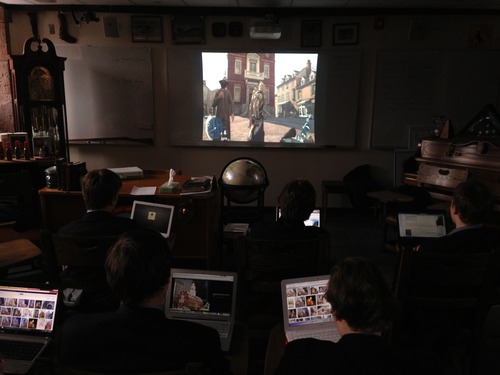
What made this lesson even better was that students had their laptops open, and they could Google every location and event covered. The web assaulted students with information about each particular place or event and how it fit into history. So, after I taught the revolution, they saw the Revolution, in a recreation and in real life. And, they got to learn about it in their favorite mediums, video games and the internet!

While my colleague navigated the streets of Boston to find the Old State House, I told the boys the story of the beginning of the Boston Massacre when a colonist insulted a redcoat by, get this, telling him there were no gentlemen in his regiment!

The boys saw the developers’ recreation of the scene, which is pretty accurate. And, if you get to the Old State House at the right time, you can trigger people standing in the square to start a riot!
Fortunately, Ubisoft is ten steps ahead of me. There’s a mission in the game where your avatar gets to play a role in the massacre. While Mr. Davey glided through the mission, we met Charles Lee. So, I interrupted the massacre to explain Charles Lee’s role in the Revolution—the former British soldier, now patriot—just in time for the students to point out that the game’s rendition of the events of March 5th, 1770 contained Crispus Attucks.

Then, it’s on to the Old North Church where the students recall Paul Revere’s Midnight Ride. Fortunately, my colleague had been on a handful of duck tours in his day growing up in Boston, and he filled in (Boston pun!) the geography of the city while avoiding parading redcoats. As Mr. Davey climbed to the top of the church, I explained Revere’s “one if by land, two if by sea” and why he decided to hang two lamps on that fateful night of April 18th, 1775.

And finally, your avatar can navigate Breed’s Hill to slay British commander, John Pitcarin, on June 17th, 1775. As Mr. Davey leapt off a flagpole to deal the fatal blow to Pitcarin, I taught students how Pitcarin actually died—in his son’s arms after being shot on the hill! Remember, he was the commander of the redcoats who were at Lexington on April 19th, of 1775

I’d like to conclude by thanking Ubisoft for producing such a thoughtful recreation of an excellent period in American History. I’d also like to entreat other US history teachers to give this lesson a shot. I had a great time playing video games in class, and the students squeezed more knowledge out of the American Revolution thanks to AC3.

2.20.2013

EdTech Expert, Will Richardson Dazzles at Renbrook


Yesterday, I went across town to hear Will Richardson talk about the crossroads of technology and education at a private, K through 9th grade day school in West Hartford. I saw Mr. Richardson speak before at TEDxNYED two years ago, and once again, he was inspiring. As a strong believer in progressive education, and particularly technology in education, I nodded my head in agreement with Mr. Richardson through most of his presentation. There were however, a few poignant insights, supported by facts, that piqued my interest and renewed my conviction to the study of technology, social media, and the future of education. But, perhaps the most interesting part of the whole talk occurred during the question and answer session at the end, when parents and teachers from the Renbrook community began to challenge Mr. Richardson’s points about the importance of teaching students how to use the digital world to pursue information on their own.

Mr. Richardson led off with plenty of stories and statistics that prove we are living through a threshold moment with respect to technology in education. The most salient of his descriptions were accompanied by two graphs he showed the audience. In fact, he showed us these with his hands, because the power went out at Renbrook so he couldn’t project his presentation on technology (oh, the irony). Therefore, Mr. Richardson physically pointed to the grey area in between the graphs of rising college costs, and of the decreasing costs regarding access to information. There he argued, something must change. And, while Mr. Richardson had ideas on how that space would be filled, both answering questions on digital badges and addressing how he encourages his own children to think outside the traditional college model, he allowed the audience members to consider this changing landscape for themselves.

The second fascinating statistic he shared, again with his hands, was that in the fourth grade student interest in school is at its peak, and it only decreases from there. Clearly, schools and teachers need to adapt, especially if they can’t increase student interest beyond the fourth grade. Mr. Richardson pointed out the fact that children don’t need school to learn, a four year old spends their whole day learning. His presentation begged the question, why send students to school beyond the fourth grade, when they are less interested and when they can learn on their own?

After detailing the issues facing schools today, Mr. Richardson advocated for some solutions that are currently being discussed in education. He argued in favor of inquiry-based or project-based instruction, a passion-based curriculum, and personal learning networks (PLNs), citing examples and/or success stories in each of these areas. But, for the educators in the room, he made it even simpler. He detailed five steps teachers can take, today, to benefit their students.
  • Understand this moment. 
  • Acknowledge the fear and discuss it. 
  • Evaluate your own practice, and consider changes. 
  • Act on these changes. 
  • Scream at people! In other words, engage others in this dialogue. 
Mr. Richardson concluded his presentation with his own catch phrase about the evolving role of a teacher. He said, a teacher’s job is not delivery, but discovery.

After a vibrant presentation (so vibrant that power returned to the cafeteria), Mr. Richardson took questions from a diverse audience of educators and parents. Though some asked questions about his views on the future of education as a means of improving their own teaching or parenting style, some parents tried to poke holes in his arguments.

Audience members argued that Mr. Richardson’s ideas would hurt their child or students’ ability to benefit from face-to-face conversations. However, throughout the presentation, Mr. Richardson made it quite clear that a balanced approach was most important. He even admitted he shuts his own internet off every evening at 9 PM!

Many parents also claimed that the school in which their students were enrolled did a better job teaching character, and giving feedback about their child’s habits and behaviors. To save his own skin, Mr. Richardson reassured them that while some teachers and schools are effective, they are in the minority. He admitted that in his seven years traveling and discussing technology in education, he only saw pockets of schools and teachers integrating technology successfully. And then, once again, he repeated that character development and face-to-face conversations are important, they just don’t have to occur in this institution called school, something that has been static in our society for 125 years. Time and again, he invited the audience to employ their own critical thinking skills to the problems addressed.

I’m overjoyed that Mr. Richardson came to the Hartford area and that Renbrook was willing to open up his presentation to the community. I learned lots of valuable information about how to integrate technology in schools. While it was easy for me to agree with most of his points, his presentation forced me to reconsider what I am doing in my own classroom, and double-down on the things that are keeping students engaged and ahead of the times. These are the innovative assignments and uncomfortable discussions that invigorate students, that teach them how to think about the world they will inherit and that require them to develop skills which will help them succeed in the professional world. Lastly, after hearing Mr. Richardson speak, I can more easily articulate the problems facing our schools and more easily offer solutions, even to teachers who are not as interested in the topic as I am.

2.17.2013

Words in Creation, Daniel Greenberg

This essay by Daniel Greenberg perfectly articulates the value of play in education. He works at Sudbury Valley School, where students spend their whole day playing. As more and more schools move away from the traditional style of a teacher teaching to test, and begin to experiment with constructivist and project-based learning, they must not forget the value of play in education.

Below is a fascinating excerpt from Greenberg’s essay:

"There is an absorbing two-faceted character to play: the formation of hypotheses (or rules) and the elaboration of actions within this framework, stretching the rules to their utmost extremes. Both facets are essential to the enjoyment of play, and to its significance as the quintessential model-building activity. To fashion models of reality, a person must learn not only to weave theories — i.e., to create models — but also to weave his perception of reality into his theories as well as he can, thus realizing the purpose for which the models were proposed in the first place. Being a good builder of models of reality means being good at playing!”

2.05.2013

EdTech Tools to Improve SAT Verbal Scores

Obviously, the SAT is crucial in college acceptance. Unfortunately this test is only becoming more and more important in college admissions thanks to rampant grade inflation. Fortunately, one easy way for students to increase SAT verbal scores is through pursuing a more diverse vocabulary. If your students are like mine, they’d rather skip over difficult words than learn them.  So, I have compiled a list of tools that make it incredibly easy to learn words that otherwise might have been skipped and ignored.

1) Professor Word
Professor Word is an application that automatically locates and defines what it considers SAT words on any website visited. Imagine every SAT word highlighted and defined on every website visited!

2) Dictionary Extensions
If you use Google Chrome, you should absolutely have the Google Dictionary extension so that you can define any word you double click on the web! There are also options for Firefox (Dictionary Tooltip) and Safari (Dictionary for Safari).
Apple computer users can also use ctrl+cmd+D while hovering over any word to define it.

3. Wordflex Touch Dictionary
Type a word into the Wordflex Touch Dictionary, and this is what you get: a beautiful tree of all its synonyms, antonyms, and derivatives. You can pull up the origin by tapping on the “orig” box on the top left of the root word, and you can pull up each of its definitions by clicking the “def” button at the base of each branch. For example, our friend learned through this app last night that “panoply” can mean “a complete suit of armor” in certain contexts—screenshot below. With its intuitive simplicity yet powerful features, Wordflex feels like what the dictionary and thesaurus were meant to be, and is the type of application that helps students learn and remember a defined word.

1.23.2013

iPadagogy

A fellow English teacher at Avon Old Farms passed this link along to me today.It’s a YouTube channel that previews iPad apps that can be used in the classroom. I subscribed immediately. I also think these screencasts are a great thing for students to produce if they want to get their teacher to explore new apps for the classroom. The possibilities are endless.

If you’re interested in other apps you can use in the classroom here are some places to explore:

Check out this list on LiveBinders

Check out this list curated by The Telegraph

Check out these articles about the iPad classroom on scoop.it

12.17.2012

Young Professionals Workshop

In high school, I always felt I would have been more prepared for college and in turn, more prepared for the real world if I had access to more young professionals who could tell me what they did and answer my questions. As a result, this is exactly what Morgan Harris and I have done with our Young Professional Workshops that we run on Thursday evenings at school. Morgan brought in his friend Jamie Goodin, Web Communications Specialist at Washington and Lee, and this past week, I brought in my friend Field Yates, who writes for ESPN Boston about the Patriots.

Field spoke with interested students about his road into sports journalism, beginning with his own time in high school at Belmont Hill. A beat writer for the Patriots, Field harked on the importance of social media in his ascent to meaningful employment. A little over a year ago I invited Field to speak to my US History class about the importance of writing. I figured an athletic-focused, boys school might respond better to the value of strong writing from someone who makes a living writing about the NFL. He did a wonderful job. Students renewed their focus on their education, particularly their writing skills, and saw a viable career path laid out before them.

At the time he first spoke via Skype, Field was unemployed, managing his own Tumblr and building his own Twitter feed. A year later, he was sitting in his office at ESPN Boston. One of the greatest things about this path is that students feasibly could begin this exact career path today, and it’s free! The power of social media is often underrated in education and I love teaching it with any chance I get. To prove this point, I have told Field’s story before, but having him virtually present telling his own story and taking questions was even better. Students asked a range of questions from his college major and previous writing skills, to his favorite moments at Gillette Stadium this year. This videoconference was a slam dunk on each question, as his words clearly impacted the students present. And, his humor allowed students to learn and laugh at the same time. After all, what high-school aged boy doesn’t want to hear stories about Vince Wilfork’s locker room demeanor, and doesn’t dream of spending five days a week at Gillette stadium?

12.16.2012

Why I Hate School but Love Education

This viral video is a must-watch for educators and students around the country. This college graduate is reconsidering what he learned in school. As the title suggests, he’s all for education, but not necessarily the current system if school. He calls school a “distant cousin” of education—surely a thought provoking comparison. I wrote previously about using the EPIC 2020 video in class and this proved to be an excellent follow-up discussion.
Obviously the video is biased and only portrays one side of he school vs. education argument, but it is something about which students truly enjoy critically thinking. My US History class (11th grade) was forced to reconsider their approach to learning and school. I used this video to preach the value of pursuing one’s passions and the ease at which students today can achieve this given the speed at which information travels freely across the internet  I harked on previous lessons where I argued about the importance of being social AND scholarly on the web.

Some students were genuinely touched. Regardless, all were forced to reconsider what their parents have been telling them all their lives about going to school to get an education. Are they that strongly correlated? And, in the Information Age, are traditional schools still the best way to pursue an education?

12.12.2012

EPIC 2020


If you haven’t showed the Epic 2020 video to your class yet, you must. It’s such a brilliant, yet controversial study regarding the direction of education over the next eight years. It carefully lays out the achievements in recent years in education (Sal Khan, MOOCs Udacity, badges, etc) and talks about 2012 as the threshold year for moving education to the web for all, for FREE. This democratizing of education is worth considering especially given two things: the declining test scores of US students, and the outrageous costs of colleges which are making schools harder and harder to afford, while they are becoming more and more selective. Epic 2020 offers an innovative solution to both of these problems. To open up the discussion, I began my class with this document about the absurdities in the current system of higher education. I had previously shown this video of Will Mcavoy from HBO’s The Newsroom which addressed the US’s problems in student test scores (a fact we revisited). Then, after watching Epic 2020 I opened up the room to discussion…


It was amazing to watch my students, whom we often call digital natives, struggle to consider the feasibility of an alternate online educational option. Some nodded their heads in agreement while my seniors immediately felt depressed. The college process had recently left a bitter taste in their mouths, and I was forcing them to consider the value of that diploma AND the price at which it comes.  

My US History class happened to be studying the Gilded Age and the following day, we had an open discussion about wealth during the Gilded Age with a focus on Andrew Carnegie’s Gospel of Wealth and Horatio Alger’s rags to riches narratives. I used this graphic regarding wealth in Congress, this graphic about inequality in the United States, and these graphics about corporate profits and tax rates, to prove that we are truly living in a second Gilded Age. When one student astutely connected this lesson to the EPIC video, he concluded that we wouldn’t be moving toward the vision laid out in the video because the elite will invest their time and money into ensuring that the existing structure, which benefits them, will be there for their kids and grand kids. You can imagine the reaction of the other students. Minds were blown.

12.05.2012

Collaborative Study Guides on Google Docs Pt. II

I wrote previously about using Docs for collaborative study guides, and this year with midterms coming up, I’m going to try something new to help my students prepare for exams. I’ll begin with all the terms we have studied and have students fill it out much like I have previously. I will require students to put their initials next to terms that they look up to see who has put forth the best effort. I’m willing to add a grade to my grade book (maybe class participation) where those students who synthesized and guided other students best will receive points. That means adding pictures, links and videos where it helps, and making comments on other students answers when they are less than adequate.

Then, to get students to prepare in advance, I’m going to host google hangouts where students can view the doc and ask questions. I’ll also be willing to take away terms from time to time to assure that students continue to check back to the doc night to night to prepare.

I hope this produces a better skill building for students, a better study guide, and higher scores. I’m sure it will be better than what my classes did last year.

Collaborative Study Guides on Google Docs

Perhaps the greatest thing about using google docs for study guides is how quickly students can complete it when they work together. In a single night’s homework assignment, students have a thoroughly completed, peer reviewed study guide; about which they can ask questions of one another and of the teacher easily and instantly. This approach also assures collaboration between students. It gives certain students a chance to lead and other students a forum through which they can ask questions.

One great aspect of docs is that it puts students in a position to use Google and Wikipedia in places where they may not have taken stellar notes. Inevitably however, students who populate the study guide are using a diversity of materials to pursue information. Some students thumb through their notebooks and add information to the study guide, while others use google, and still others use the textbook. This approach also allows students to post links, pictures and videos--whatever works best to teach others and help them recall information on an assessment.

An added bonus of online study guides is that students can access them from anywhere. Students with smartphones and tablets can study the information on-the-go anytime, anywhere.

Online study guides teach initiative, leadership, collaboration, research, organization and work ethic. These skills are so much more valuable than having students print and fill out their own study guides. And, for teachers who still think students learn and retain more when they have to compete their own study guide; fine, have them build on their own before they collaborate. Regardless, collaborate. These skills are too important to ignore given the importance of teaching crucial 21st century skills (collaboration and innovation) in a productivity-obsessed world.